About Skype for Business
Skype for Business, formerly Lync 2013 for iOS, extends the power of Lync and Skype to your favorite mobile device: voice & video over wireless, rich presence, instant messaging, conferencing, and calling features from a...
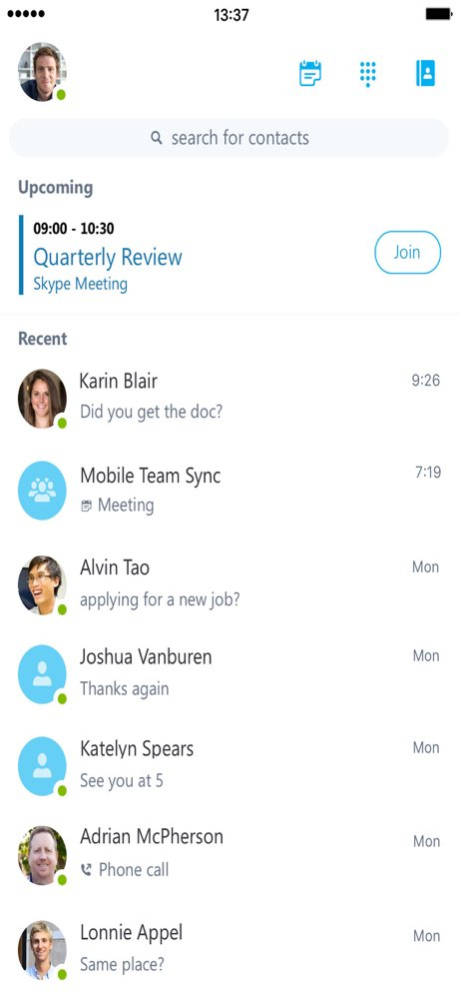
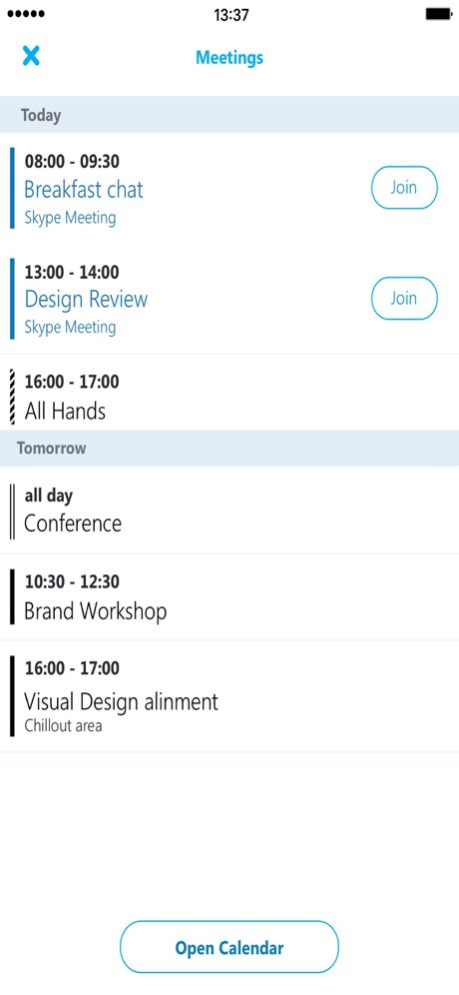
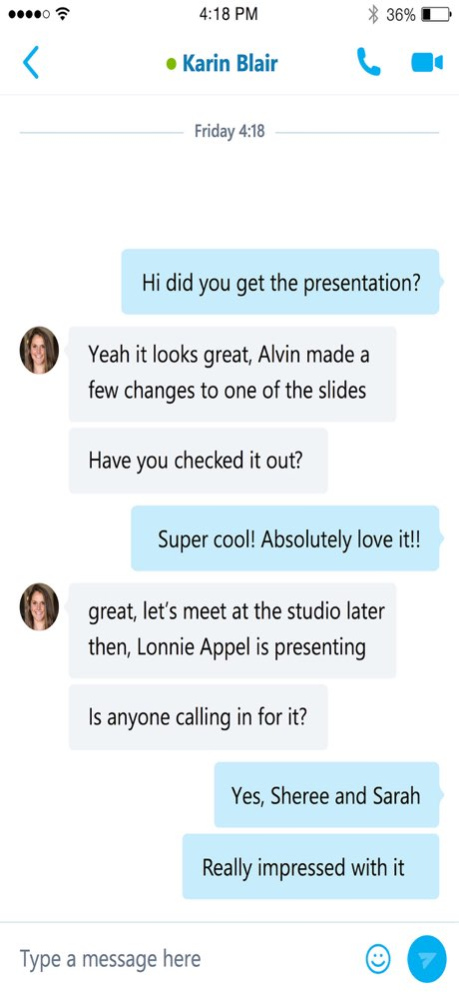
Skype for Business, formerly Lync 2013 for iOS, extends the power of Lync and Skype to your favorite mobile device: voice & video over wireless, rich presence, instant messaging, conferencing, and calling features from a single, easy-to-use interface. Key Features: Initiate a group IM or video conversation and invite additional participants Join, rejoin and initiate a Skype for Business Meeting to communicate and collaborate on amazing ideas Simultaneously view shared content and speaker's video during a conference Control the meeting (mute or remove attendees) and know more about participants’ modalities Look at your upcoming meetings and join via one click Find your recent conversations and pick them up from where you left off Search your contacts by name, email, or phone number Enhanced security via Active Directory Authentication Library Anyone can use the Skype for Business for iOS app when invited to a Skype for Business or Lync 2013 meeting. However, you must have a Skype for Business or Lync account in order to use (and enjoy) the full capability of the Skype for Business app. Also, some functionality might require an update to Lync or Skype for Business Server or might not be available to all users. If you’re not sure about your account status, please contact your IT department. IMPORTANT: THIS SOFTWARE REQUIRES CONNECTIVITY TO VALIDLY LICENSED COPIES OF MICROSOFT LYNC OR SKYPE FOR BUSINESS SERVER OR OFFICE 365 / LYNC ONLINE / SKYPE FOR BUSINESS ONLINE AND WILL NOT WORK WITHOUT IT. UPDATES TO MICROSOFT LYNC SERVER OR SKYPE FOR BUSINESS MAY BE REQUIRED FOR PROPER PERFORMANCE. SOME FUNCTIONALITY MAY NOT BE AVAILABLE IN ALL COUNTRIES. IF YOU ARE UNSURE ABOUT YOUR COMPANY’S LICENSE TO AND/OR DEPLOYMENT OF LYNC OR SKYPE FOR BUSINESS, PLEASE CONTACT YOUR IT DEPARTMENT. SKYPE FOR BUSINESS APP IS ONLY AVAILBLE FOR iOS 8.0 OR GREATER.
Version History Bug fixes and performance improvements. 6.34.119 06/10/2025 Bug fixes and performance improvements. 6.32.112 03/18/2025 Bug fixes and performance improvements. 6.32.0 08/05/2024 Bug fixes and performance improvements. 6.30.1 02/27/2024 Bug fixes and performance improvements. 6.30.0 01/25/2024 Bug fixes and performance improvements. 6.29.3 08/08/2023 Bug fixes and performance improvements. 6.29.2 11/03/2022 Bug fixes and performance improvements. 6.29.1 06/07/2022 Bug fixes and performance improvements. 6.29.0 01/10/2022 Bug fixes and performance improvements. 6.28.1 04/05/2021 Bug fixes and performance improvements. 6.28.0 01/21/2021 • The version includes changes to support the latest iOS push notifications architecture. Notifications will not display user specific data. • We have also updated the way emoticons are used in the app. The iOS native keyboard has a richer set of emoticons and is easier to access while typing. We have determined that the subset offered by the app is no longer necessary or needed and has been removed. • The release also includes general bug fixes and performance improvements 6.27.1 12/03/2020 • The version includes changes to support the latest iOS push notifications architecture. Notifications will not display user specific data. • We have also updated the way emoticons are used in the app. The iOS native keyboard has a richer set of emoticons and is easier to access while typing. We have determined that the subset offered by the app is no longer necessary or needed and has been removed. • The release also includes general bug fixes and performance improvements. 6.27.0 11/05/2020 Bug fixes and performance improvements. 6.26.2 03/17/2020 Bug fixes and performance improvements. 6.26.1 11/18/2019 Bug fixes and performance improvements. 6.26.0 09/10/2019 - Do not send chat message text in notifications through Apple Push Notification Service (APNS). - Bug fixes and performance improvements. 6.25.4 06/24/2019 Don't prompt for user name and password when the user has already signed into other Office apps on the device. Join a meeting without audio and video but still participate in presented content and chat. Fixed an issue that prevented the app from joining a meeting through a proxy server. Bug fixes and performance improvements. 6.25.3 05/23/2019 Don't prompt for user name and password when the user has already signed into other Office apps on the device. Join a meeting without audio and video but still participate in presented content and chat. Fixed an issue that prevented the app from joining a meeting through a proxy server. Bug fixes and performance improvements. 6.25.2 05/13/2019 Don't prompt for user name and password when the user has already signed into other Office apps on the device. Join a meeting without audio and video but still participate in presented content and chat. Fixed an issue that prevented the app from joining a meeting through a proxy server. Bug fixes and performance improvements. 6.25.1 05/06/2019 Don't prompt for user name and password when the user has already signed into other Office apps on the device. Join a meeting without audio and video but still participate in presented content and chat. Fixed an issue that prevented the app from joining a meeting through a proxy server. Bug fixes and performance improvements. 6.25.0 05/01/2019 Bug fixes and performance improvements 6.24.0 03/11/2019 Bug fixes and performance improvements 6.23.2 01/07/2019 Bug fixes and performance improvements 6.23.1 12/03/2018 Bug fixes and performance improvements 6.23.0 11/28/2018
Previous Versions
Here you can find the changelog of Skype for Business since it was posted on our website on 2016-12-25 12:42:35.
The latest version is 6.34.119 and it was updated on 2026-10-12 18:58:54. See below the changes in each version.
Skype for Business version 6.34.119
Updated At: 2026-10-08
Changes: Version History Bug fixes and performance improvements. 6.34.119 06/10/2025 Bug fixes and performance improvements. 6.32.112 03/18/2025 Bug fixes and performance improvements. 6.32.0 08/05/2024 Bug fixes and performance improvements. 6.30.1 02/27/2024 Bug fixes and performance improvements. 6.30.0 01/25/2024 Bug fixes and performance improvements. 6.29.3 08/08/2023 Bug fixes and performance improvements. 6.29.2 11/03/2022 Bug fixes and performance improvements. 6.29.1 06/07/2022 Bug fixes and performance improvements. 6.29.0 01/10/2022 Bug fixes and performance improvements. 6.28.1 04/05/2021 Bug fixes and performance improvements. 6.28.0 01/21/2021 • The version includes changes to support the latest iOS push notifications architecture. Notifications will not display user specific data.
• We have also updated the way emoticons are used in the app. The iOS native keyboard has a richer set of emoticons and is easier to access while typing. We have determined that the subset offered by the app is no longer necessary or needed and has been removed.
• The release also includes general bug fixes and performance improvements 6.27.1 12/03/2020 • The version includes changes to support the latest iOS push notifications architecture. Notifications will not display user specific data.
• We have also updated the way emoticons are used in the app. The iOS native keyboard has a richer set of emoticons and is easier to access while typing. We have determined that the subset offered by the app is no longer necessary or needed and has been removed.
• The release also includes general bug fixes and performance improvements. 6.27.0 11/05/2020 Bug fixes and performance improvements. 6.26.2 03/17/2020 Bug fixes and performance improvements. 6.26.1 11/18/2019 Bug fixes and performance improvements. 6.26.0 09/10/2019 - Do not send chat message text in notifications through Apple Push Notification Service (APNS).
- Bug fixes and performance improvements. 6.25.4 06/24/2019 Don't prompt for user name and password when the user has already signed into other Office apps on the device.
Join a meeting without audio and video but still participate in presented content and chat.
Fixed an issue that prevented the app from joining a meeting through a proxy server.
Bug fixes and performance improvements. 6.25.3 05/23/2019 Don't prompt for user name and password when the user has already signed into other Office apps on the device.
Join a meeting without audio and video but still participate in presented content and chat.
Fixed an issue that prevented the app from joining a meeting through a proxy server.
Bug fixes and performance improvements. 6.25.2 05/13/2019 Don't prompt for user name and password when the user has already signed into other Office apps on the device.
Join a meeting without audio and video but still participate in presented content and chat.
Fixed an issue that prevented the app from joining a meeting through a proxy server.
Bug fixes and performance improvements. 6.25.1 05/06/2019 Don't prompt for user name and password when the user has already signed into other Office apps on the device.
Join a meeting without audio and video but still participate in presented content and chat.
Fixed an issue that prevented the app from joining a meeting through a proxy server.
Bug fixes and performance improvements. 6.25.0 05/01/2019 Bug fixes and performance improvements 6.24.0 03/11/2019 Bug fixes and performance improvements 6.23.2 01/07/2019 Bug fixes and performance improvements 6.23.1 12/03/2018 Bug fixes and performance improvements 6.23.0 11/28/2018
Skype for Business version 6.34.119
Updated At: 2025-06-10
Changes: Bug fixes and performance improvements.
Skype for Business version 6.34.119
Updated At: 2025-06-10
Changes: Jun 10, 2025
Version 6.34.119
Bug fixes and performance improvements.
Skype for Business version 6.32.112
Updated At: 2025-03-18
Changes: Mar 18, 2025
Version 6.32.112
Bug fixes and performance improvements.
Skype for Business version 6.32.0
Updated At: 2024-08-05
Changes: Aug 5, 2024
Version 6.32.0
Bug fixes and performance improvements.
Skype for Business version 6.30.1
Updated At: 2024-02-27
Changes: Feb 27, 2024
Version 6.30.1
Bug fixes and performance improvements.
Skype for Business version 6.30.0
Updated At: 2024-01-25
Changes: Jan 25, 2024
Version 6.30.0
Bug fixes and performance improvements.
Skype for Business version 6.29.3
Updated At: 2023-08-08
Changes: Aug 8, 2023
Version 6.29.3
Bug fixes and performance improvements.
Skype for Business version 6.29.2
Updated At: 2022-11-03
Changes: Nov 3, 2022
Version 6.29.2
Bug fixes and performance improvements.
Skype for Business version 6.29.1
Updated At: 2022-06-07
Changes: Jun 7, 2022 Version 6.29.1
Bug fixes and performance improvements.
Disclaimer
Official App Store Link
We do not host Skype for Business on our servers. We did not scan it for viruses, adware, spyware or other type of malware. This app is hosted by Apple and passed their terms and conditions to be listed there. We recommend caution when installing it.
The App Store link for Skype for Business is provided to you by apps112.com without any warranties, representations or guarantees of any kind, so access it at your own risk.
If you have questions regarding this particular app contact the publisher directly. For questions about the functionalities of apps112.com contact us.